 PairVault
Never lose a setup code again.
Every smart home accessory comes with a setup code. You need it again when you reset the device, move house, or add it to another hub, and by then the sticker is long gone. PairVault keeps all of them and makes a fresh QR when it is time to pair again.
Five codes free. $5.99 once for the rest. No account.
Features
What the sticker can't do
Scan it once
Point the camera at the QR on the accessory, its box or the manual. Or type the digits in. PairVault keeps the code and shows it exactly as it was printed.
Pair again in seconds
PairVault builds a fresh QR from the code it saved, so you can pair from your phone instead of taking a light fitting apart.
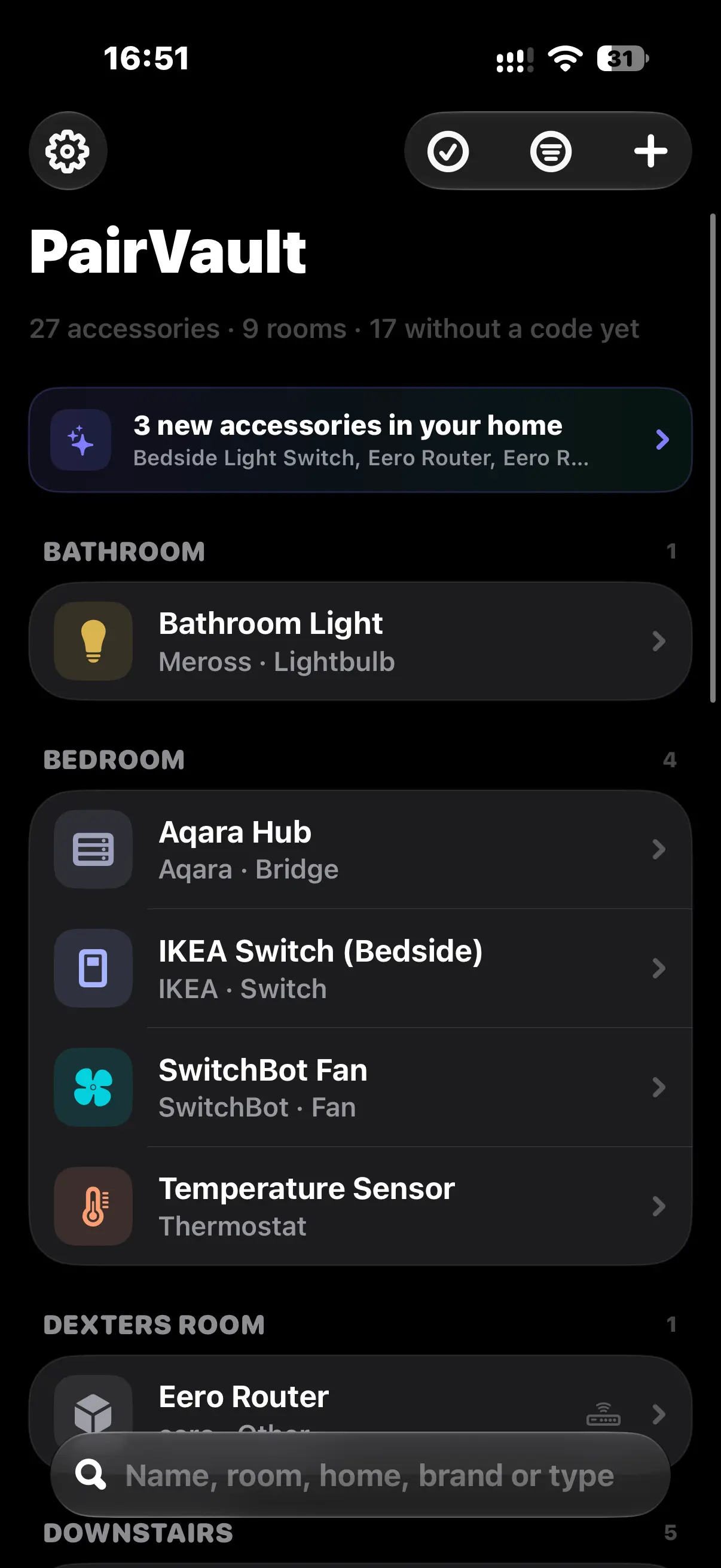
Pulls in from Apple Home
Your accessories come across with their names, rooms and models. You choose which homes to include. The codes stay manual, because Apple never shares those.
Keeps an eye on batteries
See the current level and a history chart, and get a warning before one runs flat.
Stays locked
Face ID, Touch ID or a passcode, with an auto-lock delay you set. There is a privacy screen in the app switcher too.
Speaks seven languages
English, Dutch, French, German, Italian, Portuguese (Brazil) and Spanish. The picker follows your iPhone unless you tell it otherwise.
How it works
Three steps, then it just sits there
- 1
Add the code
Scan the QR or the printed code with the camera, or type it in. HomeKit or Matter, any length.
- 2
PairVault saves and rebuilds it
It makes a scannable QR whenever the code is complete enough, and always shows the grouped digits underneath.
- 3
Pair from your phone
After a reset, a house move, or adding the device somewhere new, open PairVault and show the code. No ladder, no torch.
A closer look
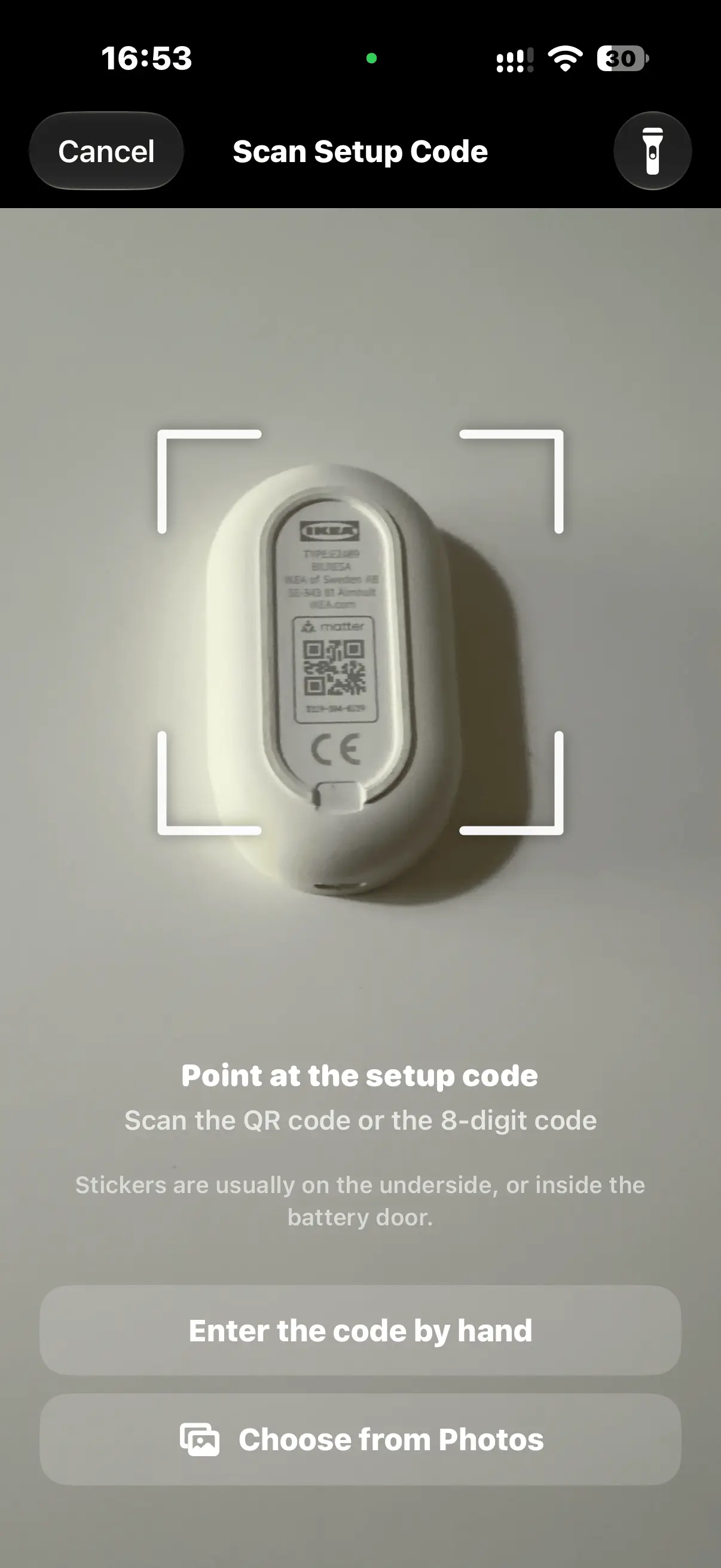
Scan anything
The accessory, the box, the manual, or an old photo of the label.
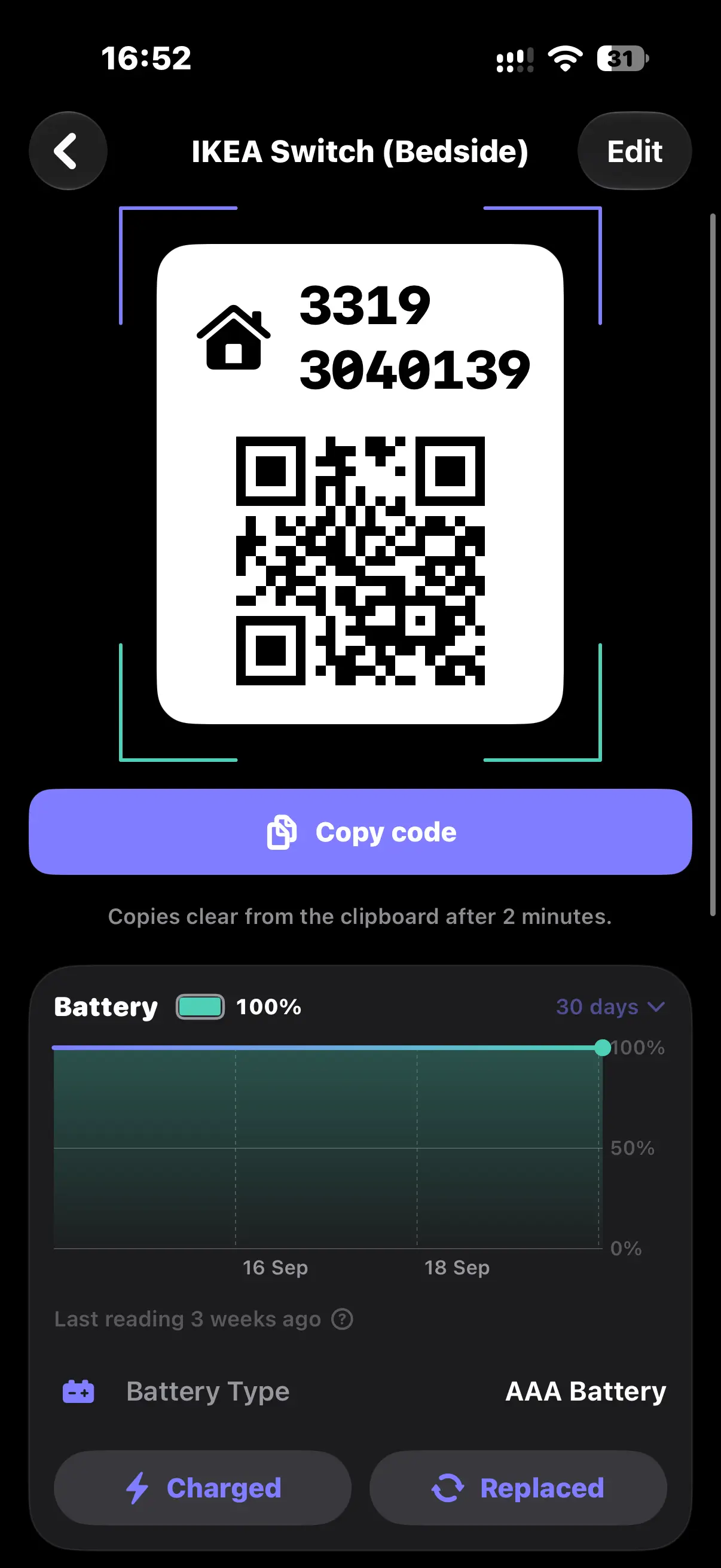
Rebuild the code
A new QR that scans just like the one on the sticker.
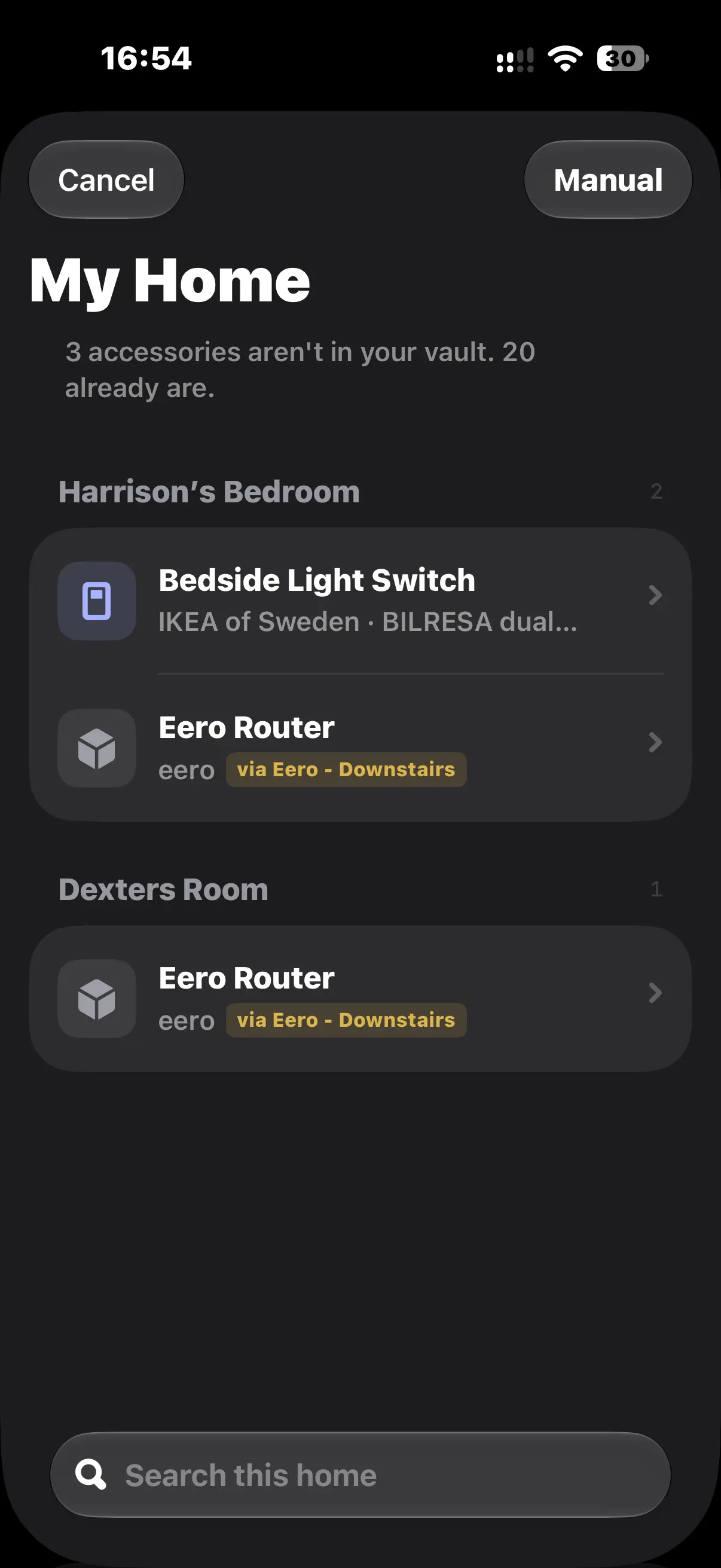
Import from Apple Home
Names and rooms come straight in. Only the codes are left to add.
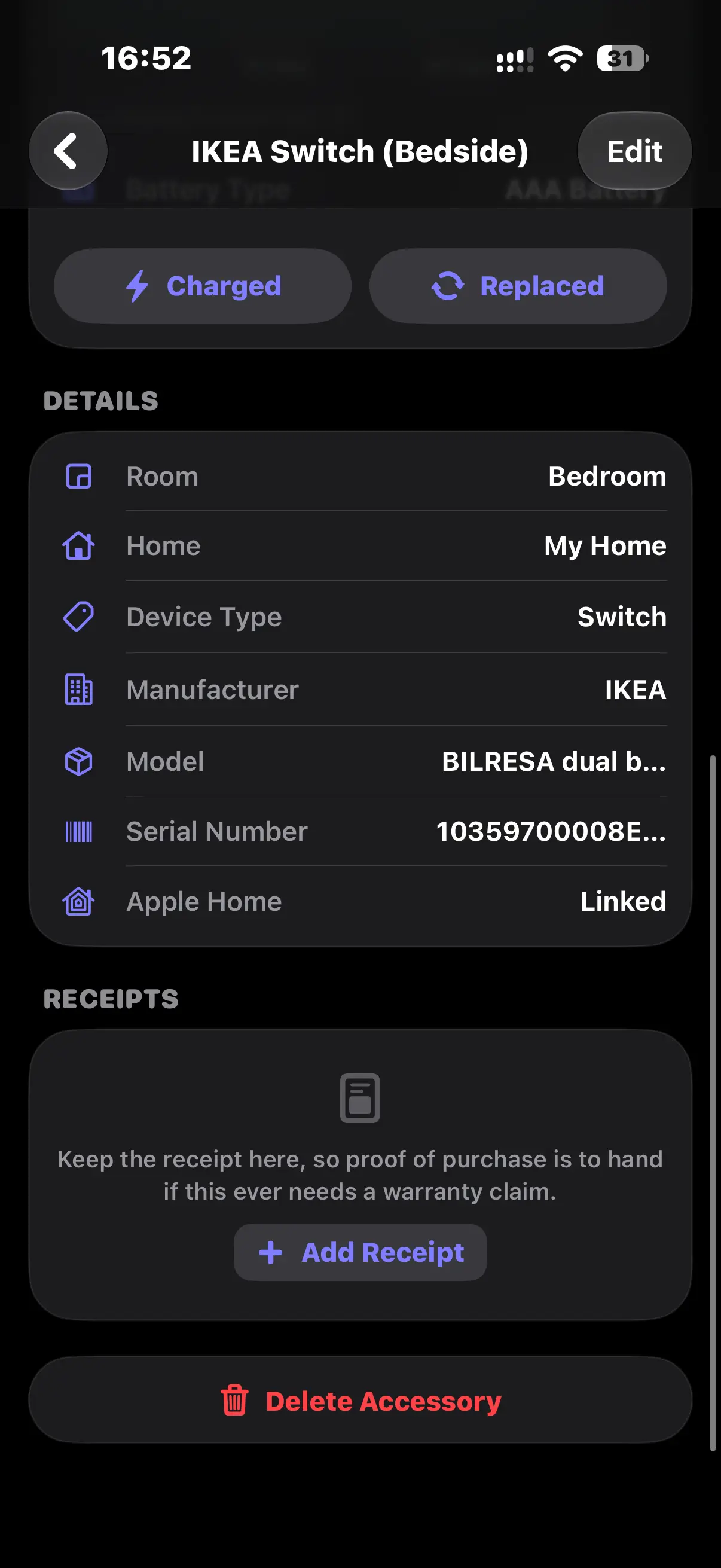
Everything in one place
Model, serial number and the receipt, ready for a warranty claim.
Privacy
Your codes never reach us
There is no PairVault server. Your codes live on your device, and in your own private iCloud if you turn sync on. That iCloud is your Apple Account, not ours. We can't read your codes and we can't delete them for you. There is nothing to sign up for.
- No server, so there is nothing to breach and nothing to hand over.
- Face ID or passcode lock, and a privacy screen in the app switcher.
- A copied code stays on the device and clears itself after two minutes.
- End-to-end encrypted if you have Advanced Data Protection turned on.
- The only thing that leaves the app is anonymous usage stats. Never anything from your vault.
Pricing
Pay once. There is no subscription.
Free
$0
Five setup codes, kept for good.
- No trial, nothing expires
- Apple Home import and battery history
- iCloud sync and export
Unlimited
$5.99 once
As many codes as you like.
- Every setup code, no limit
- One payment through the App Store
- Your first five stay put either way
Refunds go through Apple, the same as any other App Store purchase.
FAQ
Common questions
Is PairVault free?
The first five accessories are free and stay that way. No trial, nothing expires. One payment of $5.99 removes the limit.
Is it a subscription?
No. You pay once. Nothing recurring.
If I don't pay, do I lose my first five?
No. They're yours whatever you decide. Nothing gets deleted or locked to push you into buying.
Why can't it pull codes from Apple Home on its own?
Apple doesn't hand setup codes to other apps. You scan or type each one once, and PairVault remembers it after that.
Do my codes sync between devices?
Yes, through your own iCloud. It's end-to-end encrypted if you've turned on Advanced Data Protection.
Can I get my data out?
Yes. Export to PDF, CSV, Markdown or JSON, all of it or a selection. Codes are left out unless you choose to include them.
Support
Get in touch
Keep the codes somewhere you'll actually find them
Five codes free. $5.99 once for the rest. No account, no subscription.
Download on the App Store